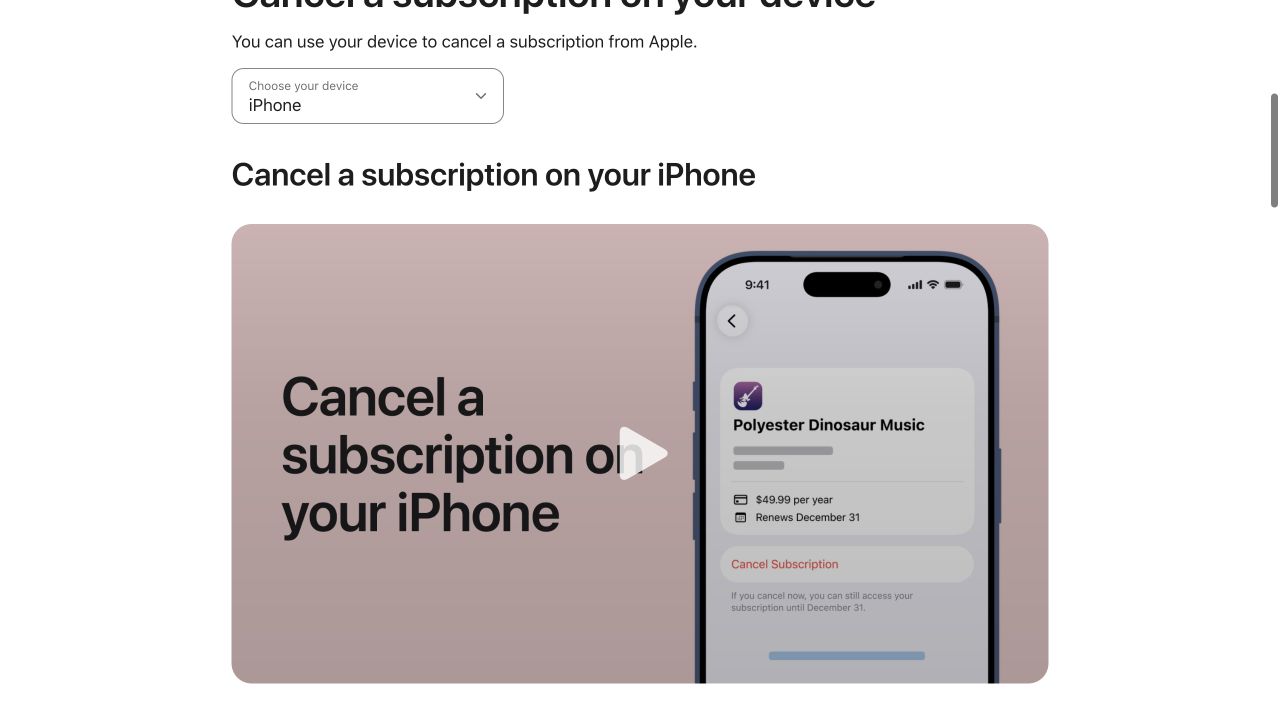
If Apple is billing the subscription, cancelling it on an iPhone takes less than a minute:
- Open Settings.
- Tap your name at the top.
- Tap Subscriptions.
- Choose the subscription.
- Tap Cancel Subscription and finish the confirmation.
Apple's current instructions use exactly that route. If you do not see a Cancel button, or the screen shows an expiration date in red, Apple says the subscription is already cancelled. Apple's official subscription instructions.
The harder situation is when the charge is real but the subscription does not appear in that list. That usually means one of three things: you are signed into the wrong Apple Account, somebody else in the household owns the subscription, or Apple is not the biller at all.
This guide covers both cases.
The exact iPhone cancellation path
Start in Settings, not by deleting the app.
Tap your name, then Subscriptions. You will see Apple-billed subscriptions associated with that Apple Account. Select the one you want to stop.
Before tapping Cancel, note three things:
- the plan name;
- the price or billing period;
- the renewal or expiration date.
Take a screenshot if the subscription is expensive, annual, or has caused trouble before. Then tap Cancel Subscription and complete any prompts.
Do not exit after selecting a cheaper plan, a pause option, or a promotional offer unless that is what you actually want. The goal is to reach a screen that clearly shows the subscription as cancelled or expiring on a specific date.
If you are cancelling a free or discounted Apple trial, timing matters. Apple advises cancelling at least 24 hours before the trial ends if you do not want it to renew. Apple Support.
What happens after you cancel an iPhone subscription?
For most subscriptions, cancelling turns off future renewal. It does not necessarily erase the remaining paid time immediately.
The subscription screen should show the date through which you retain access. Keep that date with your cancellation screenshot. It gives you something concrete to compare with your next card statement.
Remember that a refund is a separate process. Cancelling today does not automatically return yesterday's charge. If you need money back, see How to Get an Apple Subscription Refund.
Why isn't the subscription showing on my iPhone?
This is where people tend to lose time. They open Settings, see no subscription, and assume the phone is wrong.
Usually the phone is telling you something useful: that Apple Account does not own that billing relationship.
Apple recommends searching your email for “receipt from Apple” or “invoice from Apple.” The receipt shows which Apple Account was used for the purchase. Apple Support.
Work through these possibilities in order.
1. You used another Apple Account
People often have an old personal account, a newer account, or an account associated with a different email address. Search your email receipts and look at the Apple Account shown on the purchase.
If another account you own appears on the receipt, sign into that account and check its subscriptions.
Do not randomly change Apple Accounts on your primary phone if you are unsure how your purchases and iCloud data are configured. You can also use Apple's web account tools or Apple Support to verify the billing relationship first.
2. A family member owns the subscription
If the receipt belongs to another member of a Family Sharing group, Apple says the person whose Apple Account owns the subscription must cancel it. The family organizer cannot simply cancel somebody else's individual subscription from their own subscription list.
That distinction can explain why a household sees a charge on a shared payment method but the organizer cannot find a cancellation control.
3. The app developer bills you directly
Not every iPhone app uses Apple's subscription billing. Some services sell subscriptions on their own websites and then let you sign into the iPhone app.
If there is no Apple receipt, check your bank or credit-card statement. Apple explicitly advises that a missing Apple receipt may mean the subscription was purchased from another company; in that case, you need to contact the company that bills you. Apple Support.
This is common with streaming, news, software, fitness, and business subscriptions.
Use the merchant name from the statement in the CancelScore search. If you find the service, the company page will tell you whether cancellation is direct, through a platform, by phone, in writing, or through another provider.
4. Your wireless carrier or another provider bundles the subscription
Some plans are included or sold through a wireless carrier, cable provider, internet provider, or another bundle. In that case the company shown in the app may not control the renewal.
Apple's guidance says subscriptions received through a wireless carrier or other provider should be managed with that provider. Apple Support.
Do not delete the app to cancel
Deleting an iPhone app removes the app. It does not reliably stop a subscription.
This distinction sounds obvious once stated, but it causes enough trouble that it deserves its own rule: cancel first, uninstall second.
CancelScore's database reinforces the point. Of the 500 researched company processes, 481 include the warning that deletion, app removal, equipment return, or stopping payment is not the same as cancelling the subscription.
If you want to remove the service completely:
- Cancel the subscription.
- Save the cancellation confirmation and end date.
- Wait until you are sure no additional account action is required.
- Delete the app.
- Delete the underlying account only if you want the account itself removed.
The order protects you from losing access to information you need to prove the cancellation.
How to cancel an iPhone app that is billed through Google Play
This can happen when you originally subscribed on an Android device or through a Google account and later started using the service on an iPhone.
If Google Play owns the billing, Apple Settings will not cancel it. Use Google Play's subscription management instead. Google tells users to sign into the Google Account that owns the subscription, choose the subscription, and select Cancel subscription. Google Play Help.
Our broader How to Cancel an App Subscription guide includes a biller-first decision tree for Apple, Google Play, Amazon, Roku and direct-billed apps.
How to cancel subscriptions you bought through Amazon or Roku
The same principle applies. If the subscription was sold as an Amazon channel, Roku subscription, carrier add-on or another partner purchase, the partner may own the billing.
Do not keep hammering the Cancel button inside the iPhone app if the app says something like “manage your subscription where you signed up.” That message is a clue, not a dead end.
Search the service and the biller in CancelScore. The site includes billing-route notes on hundreds of company guides, including Disney Plus, YouTube TV, Paramount Plus, Hulu, and Peacock.
How to request a refund after cancelling
If Apple billed the purchase, cancelling and asking for a refund are separate actions.
Apple directs refund requests to reportaproblem.apple.com. You sign in, select “I'd like to,” choose Request a refund, choose a reason, select the purchase, and submit the request. Apple also notes that a pending charge cannot be refunded until it posts. Apple's refund instructions.
If the charge does not appear in Apple's refund system, search your email for the Apple receipt. The account on the receipt determines which Apple Account you should use for the request.
For a detailed walkthrough, use How to Get an Apple Subscription Refund.
What if the subscription was already renewed?
First, turn off the next renewal. Do that even if you plan to request a refund. Otherwise you may solve the current charge while leaving the next one active.
Then submit the refund request through the biller.
A good sequence is:
- Cancel renewal.
- Screenshot the cancelled status and end date.
- Locate the charge or receipt.
- Request the refund.
- Save the refund-request confirmation.
- Monitor both the subscription status and the payment account.
This separation is one of the core patterns in the CancelScore database: 468 of 500 researched processes warn that cancellation is not itself a refund.
What if you still get charged after cancelling on iPhone?
Start by comparing dates.
Suppose you cancelled August 10, and the Apple subscription screen said your subscription would expire August 18. A charge dated August 19 deserves investigation. A charge that had already been authorized before the cancellation may require a closer look at the billing timeline.
Collect:
- cancellation screenshot;
- expiration date;
- Apple receipt;
- charge date and amount;
- refund request, if any.
Then use Apple's billing support or refund workflow as appropriate. Apple's Billing and Subscriptions page links to cancellation, refunds, purchase history, payment information, and unfamiliar-charge help in one place.
If the transaction was not actually billed by Apple, contact the company shown on your statement. You can use What to Do If You're Still Being Charged After Cancelling when that guide is published.
How to audit your iPhone subscriptions in five minutes
Cancelling one subscription is useful. Checking the whole list is better.
Open Settings > your name > Subscriptions and review every active item. For each one, ask:
- Did I use this in the last month?
- Is there a cheaper plan that actually fits my usage?
- Is this annual renewal coming up soon?
- Do I recognize the app and the price?
- Is the subscription duplicated somewhere else?
Then look at your card or bank statement for recurring services that are not in Apple's list. Those may be direct-billed subscriptions or payments through other platforms.
Use How to Find and Manage All Your Subscriptions for a full audit process.
Common mistakes to avoid
Cancelling the wrong Apple Account
Confirm the receipt before making account changes. An old Apple Account can own a subscription even if your current phone uses another one.
Assuming Family Sharing gives the organizer cancellation control
The subscription owner's Apple Account matters. Look at the receipt.
Deleting the app first
Cancel and save proof before uninstalling.
Requesting a refund without stopping renewal
A refund request addresses a charge; cancellation addresses future renewal. Do both when both are needed.
Waiting until the last minute on a trial
Apple recommends cancelling free or discounted trial subscriptions at least 24 hours before the trial ends if you do not want them to renew.
Assuming every iPhone subscription is an Apple subscription
The device you use is not necessarily the company that bills you.
Frequently asked questions
Where do I see subscriptions on my iPhone?
Open Settings, tap your name, then tap Subscriptions.
Why don't I see a subscription I am being charged for?
Check the Apple receipt and Apple Account. If there is no Apple receipt, another company or platform may be billing you. Check the merchant name on the bank or card statement.
Does deleting an iPhone app cancel the subscription?
No. Cancel the paid subscription through the biller before deleting the app.
How do I know an Apple subscription is cancelled?
Apple says that if there is no Cancel button or the subscription shows an expiration message in red, it is already cancelled. Save a screenshot of the status and expiration date.
Can I cancel an Apple subscription from the web?
Apple provides a web cancellation route as well as device-specific instructions. Use Apple's official subscription support page for the current options.
Can I get a refund after cancelling an Apple subscription?
You can request one, but eligibility is not automatic. Submit a separate refund request through Apple's Report a Problem process.
What if I subscribed through my carrier?
Manage the subscription with the carrier or provider that owns the billing relationship.
Related guides
- How to Get an Apple Subscription Refund
- How to Cancel an App Subscription
- How to Find and Manage All Your Subscriptions
- How to Cancel a Subscription
- How to Turn Off Auto-Renewal